
Profile Optimization
LinkedIn headline: how to write the line that earns the click
Your headline appears in searches, comments and invitations, often before anything else about you.
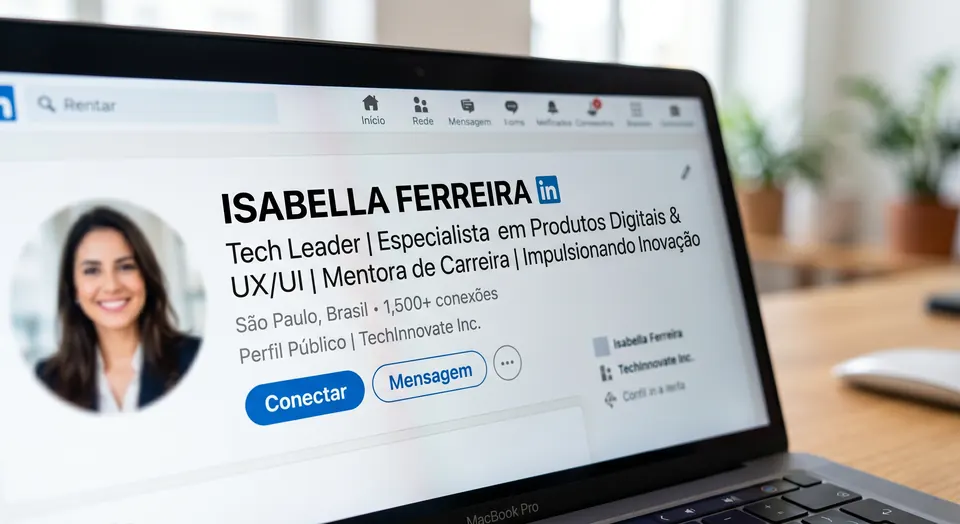
Your headline is the line right below your name. It looks small, but it is one of the most strategic parts of your profile because it travels with you across the whole network: it appears with every comment, every search result and every connection request. It is your cover line, and most people waste it by repeating only their job title.
The most common mistake: just a job title
Writing only “Marketing Analyst” or “Lawyer” is a missed opportunity. A job title alone says nothing about what you deliver or for whom. It places you among thousands of identical profiles, with nothing that invites a click.
The formula for a headline that converts
A strong headline combines what you do, who you do it for and the result you create. Think of it as a short answer to the question “why should I open your profile?” When it makes your value clear, the click becomes a deliberate choice instead of a gamble.
Ingredients that make a difference
- Your field and specialty, using the keywords people search for
- The audience or problem you serve
- The result or edge you deliver
- Clarity over cleverness: confusing pushes people away, clear draws them in
Your headline also carries weight in search: the terms you use can help recruiters and clients find you, or keep you hidden from them. That's why it needs to appeal to people and be easy for LinkedIn's search to read at the same time.
Rewriting a headline takes minutes, yet the effect spreads across your entire profile and your whole presence on the network. It is one of the highest-return changes you can make on LinkedIn.