Profile Optimization
Custom URL, banner and Featured: details that signal professionalism
Small finishing touches are what separate an amateur profile from a professional one.
When people talk about optimizing a profile, attention goes to the photo, headline and experience. But some secondary details, added together, make a big difference in how professional you look. They're the finishing touches: the custom URL, the banner and the Featured section. Ignoring them is like wearing a sharp suit with scuffed shoes.
Custom URL: the invisible detail that counts
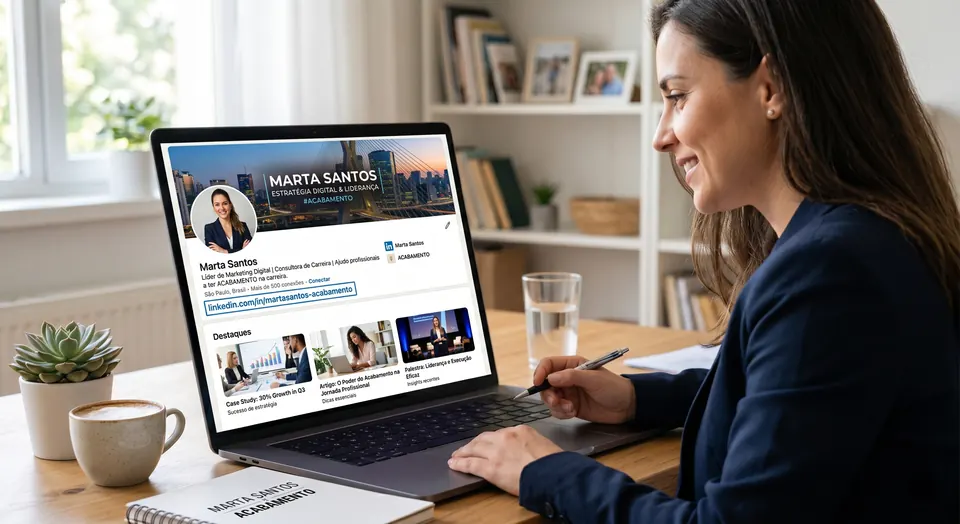
By default, LinkedIn creates a profile address full of random numbers and letters. Customizing that URL so it's clean and uses your name costs nothing, takes a minute and signals care. It shows up when you share your profile, add it to a resume or put it in an email signature. A messy URL suggests carelessness; a clean one signals professionalism.
Banner: the ad space you're wasting
The banner is the strip across the top of your profile, and most people leave the default background. That's a missed opportunity. A well-designed banner reinforces your positioning, communicates your field and conveys a visual identity. It's the first thing people see when they open your profile, and an empty space there shouts inattention.
Featured: your showcase within the showcase
- Gather your best content, projects and materials at the top
- Show what you do and deliver instead of only describing it
- Point visitors to what you want them to see first
- Keep it current, showing what's most relevant
None of these details alone decides a hire or a deal. Together, though, they create an impression of care and professionalism that sets your profile apart. They're small touches with a high return, and precisely because most people ignore them, those who get them right stand out.